
Using Google Advanced Search

Google Advanced Search
While it is good to know how to make the best use of the basic Google search and the use of wildcards etc, this can get a bit complicated. Using Advanced search can do most of this for you, making it easier to do more complex searches and get better results.
To find the “advanced search” facility, you have the option to go to www.google.com, then click on Settings at the bottom right-hand side of the page. You then choose the option of Advanced Search. Alternatively, simply search Google for “advanced search” Either way, you should see the following page:
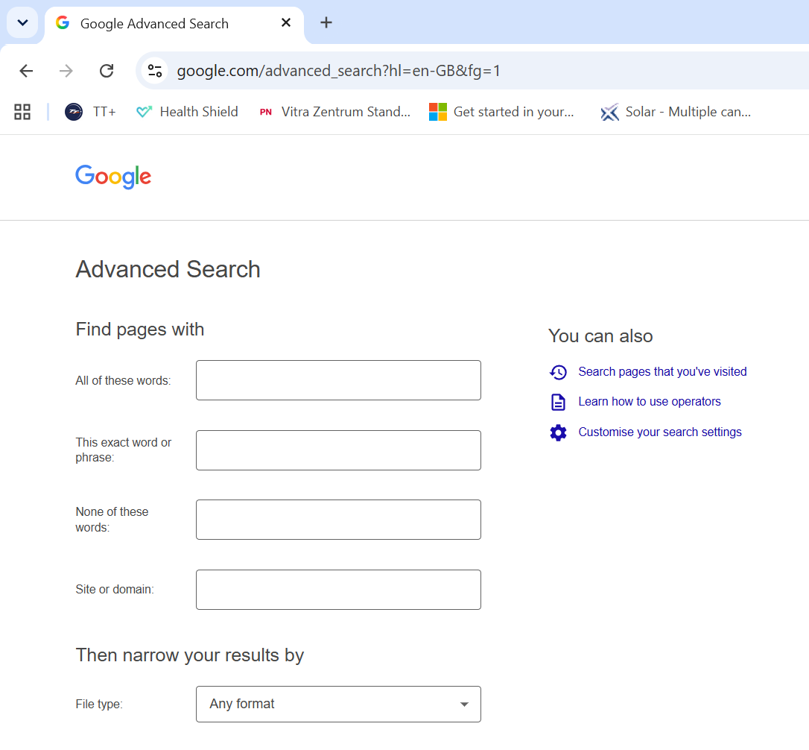
Advanced search allows you to easily narrow down your search and is a great help with the more complicated information searches.
It easily facilitates:
· Phrase searching
· Boolean type searches (and, or not)
· Narrow your search by date etc
